Fleet management that connects your vans, tools and crew
Vanguard helps service companies run the vehicles, equipment and people behind every job. See where your vans are, control who opens each tool drawer, dispatch your crew, approve their work and keep the record in one place.
We install the Argus gateway and your ordered equipment in each van. Your workspace opens once your order is paid.
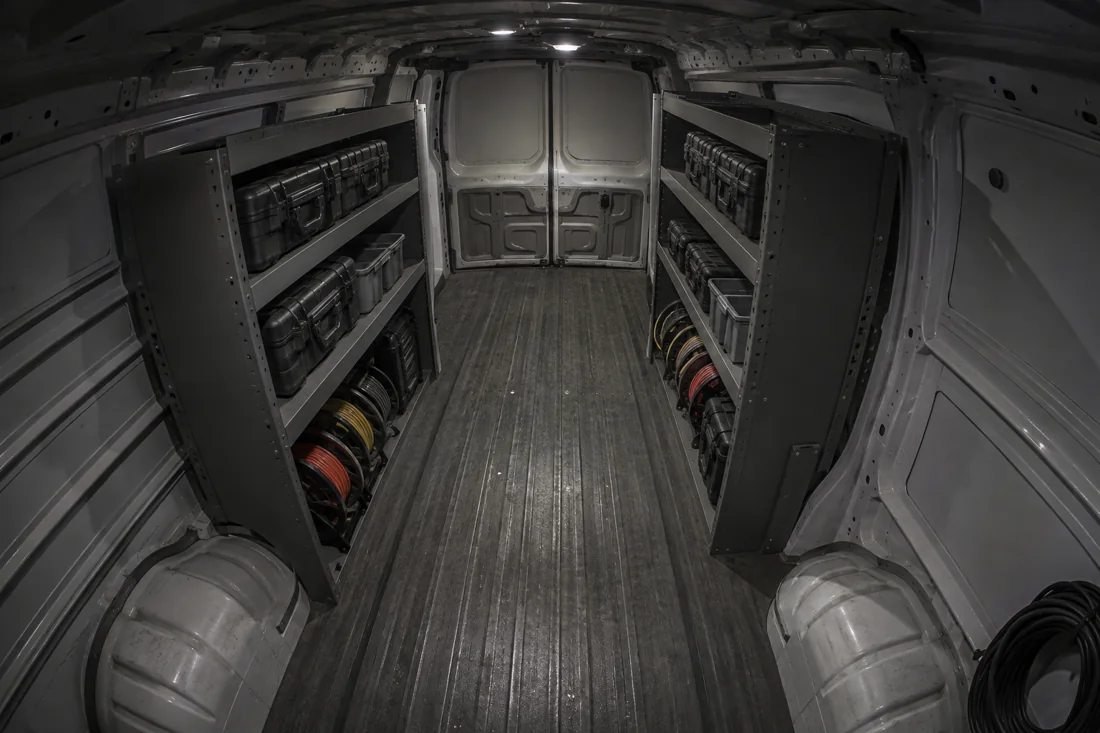

- Drawer 1Hammer drill, impact driverLocked
- Drawer 2Fiber splicerLocked
- Drawer 3E. Davis, Madison City SchoolsOpen
- Drawer 4Cable certifierLocked
- Drawer 5Laser levelLocked
- Drawer 6Band sawLocked
- Drawer 7Crimp kitLocked
- Drawer 8Thermal cameraLocked
Inside your workspace
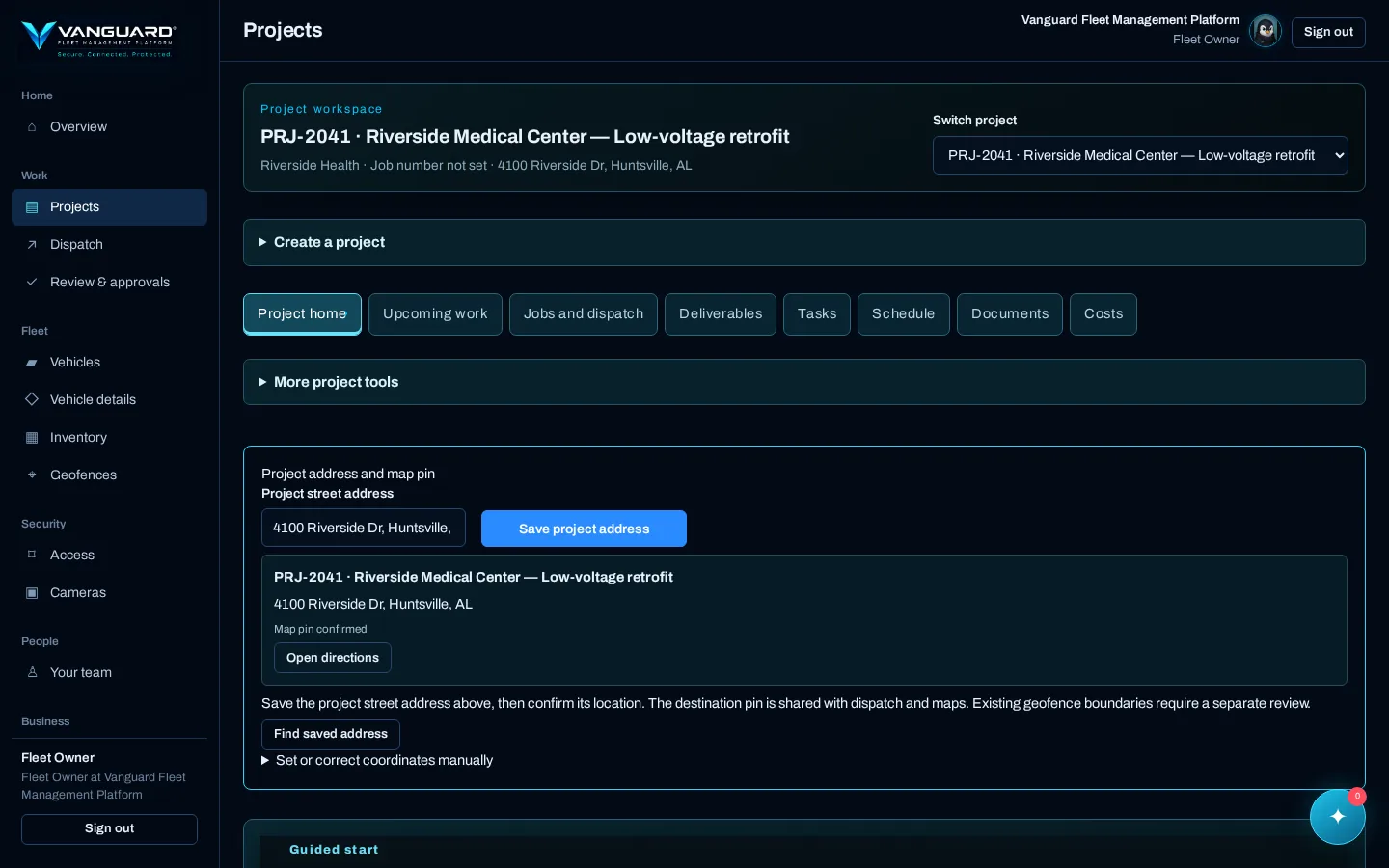
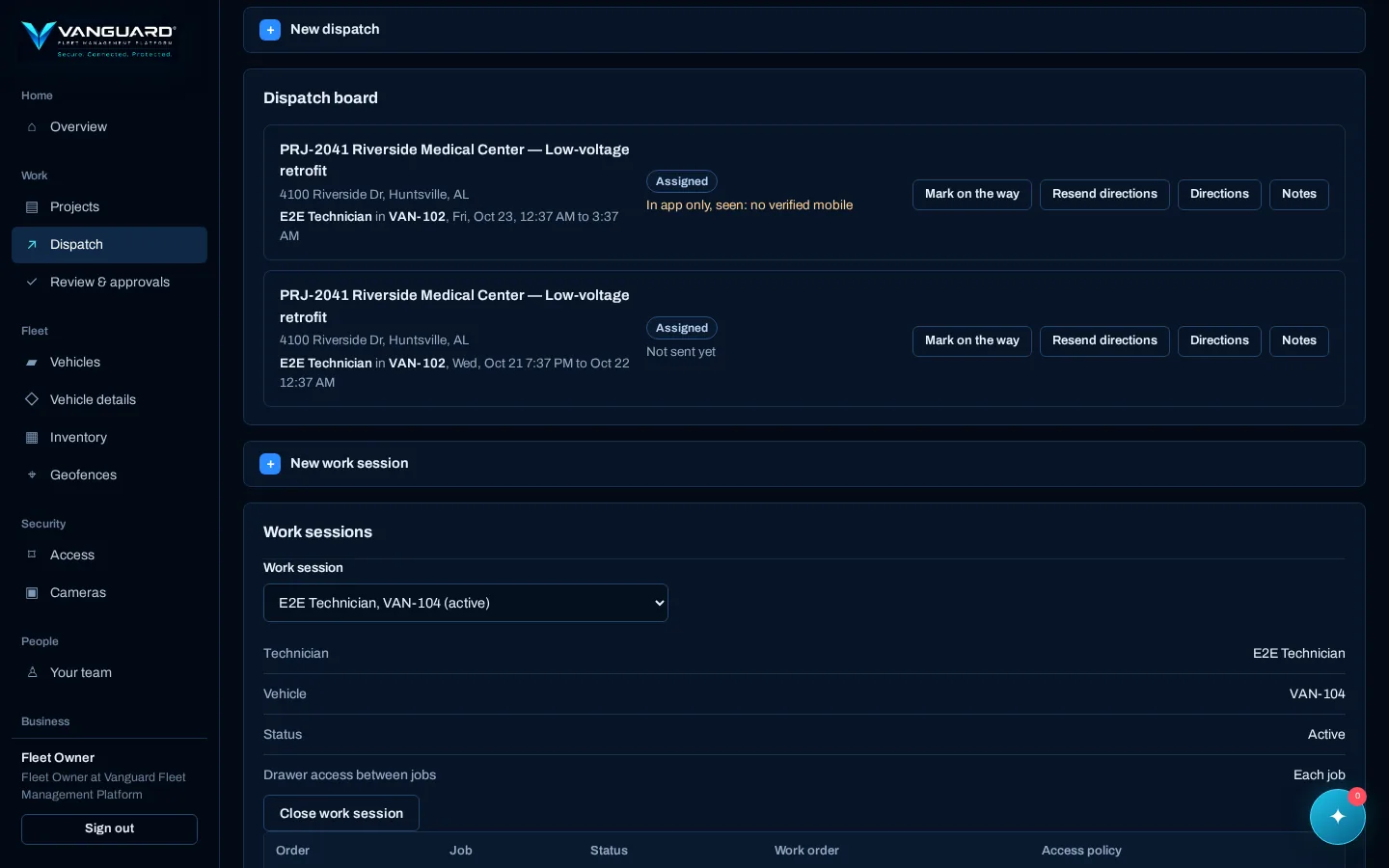
Real screens from Vanguard, shown with an example fleet.
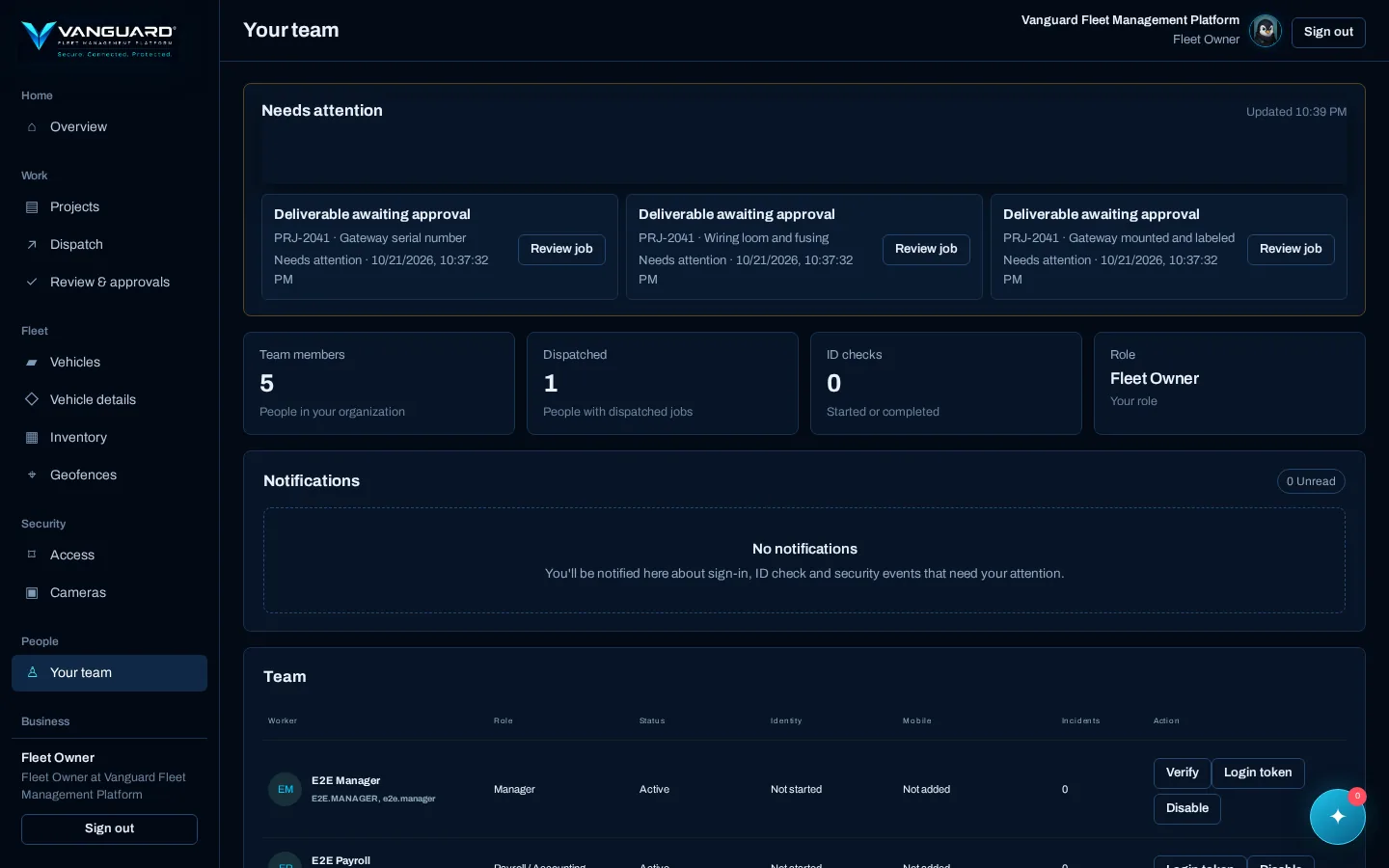
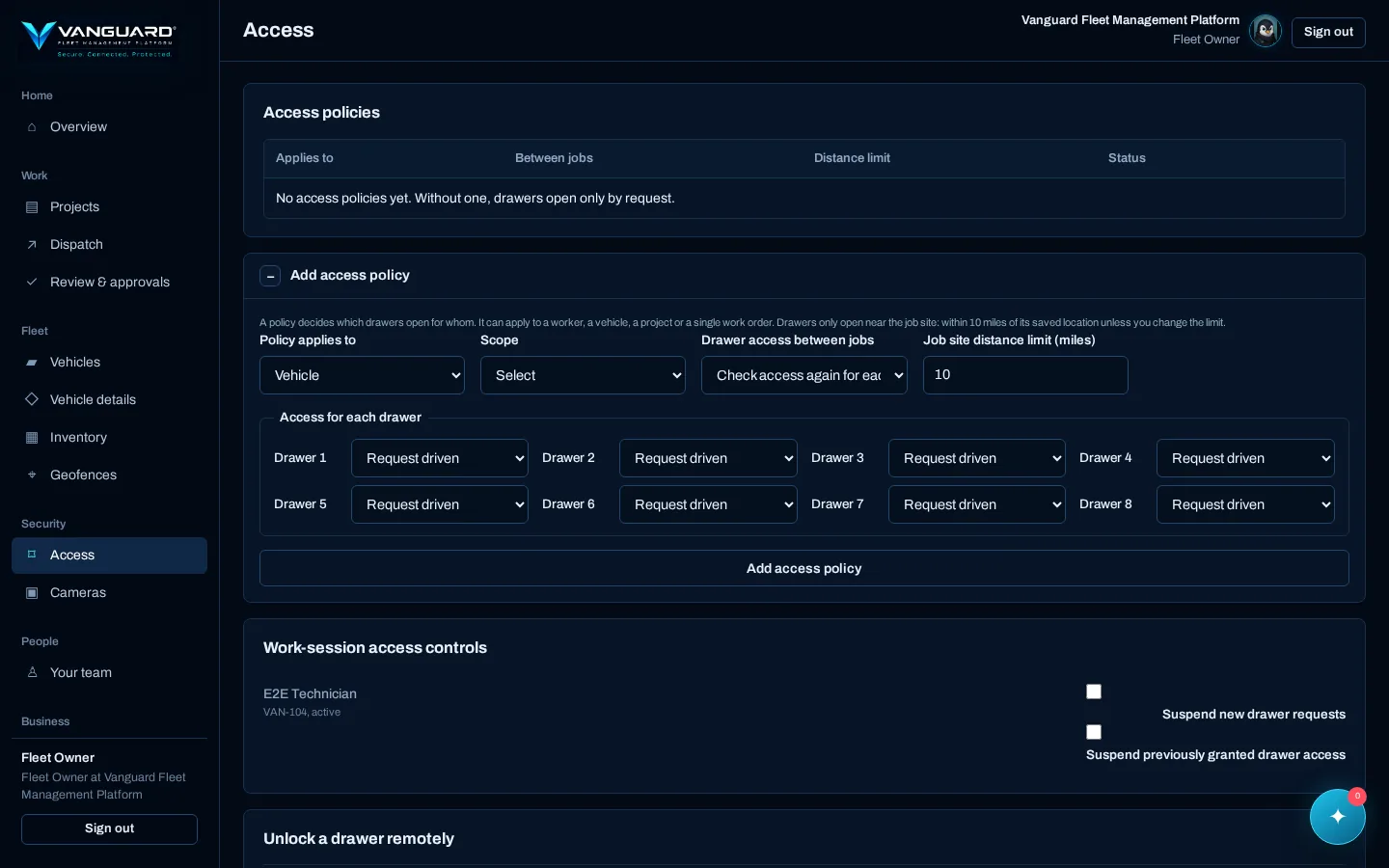
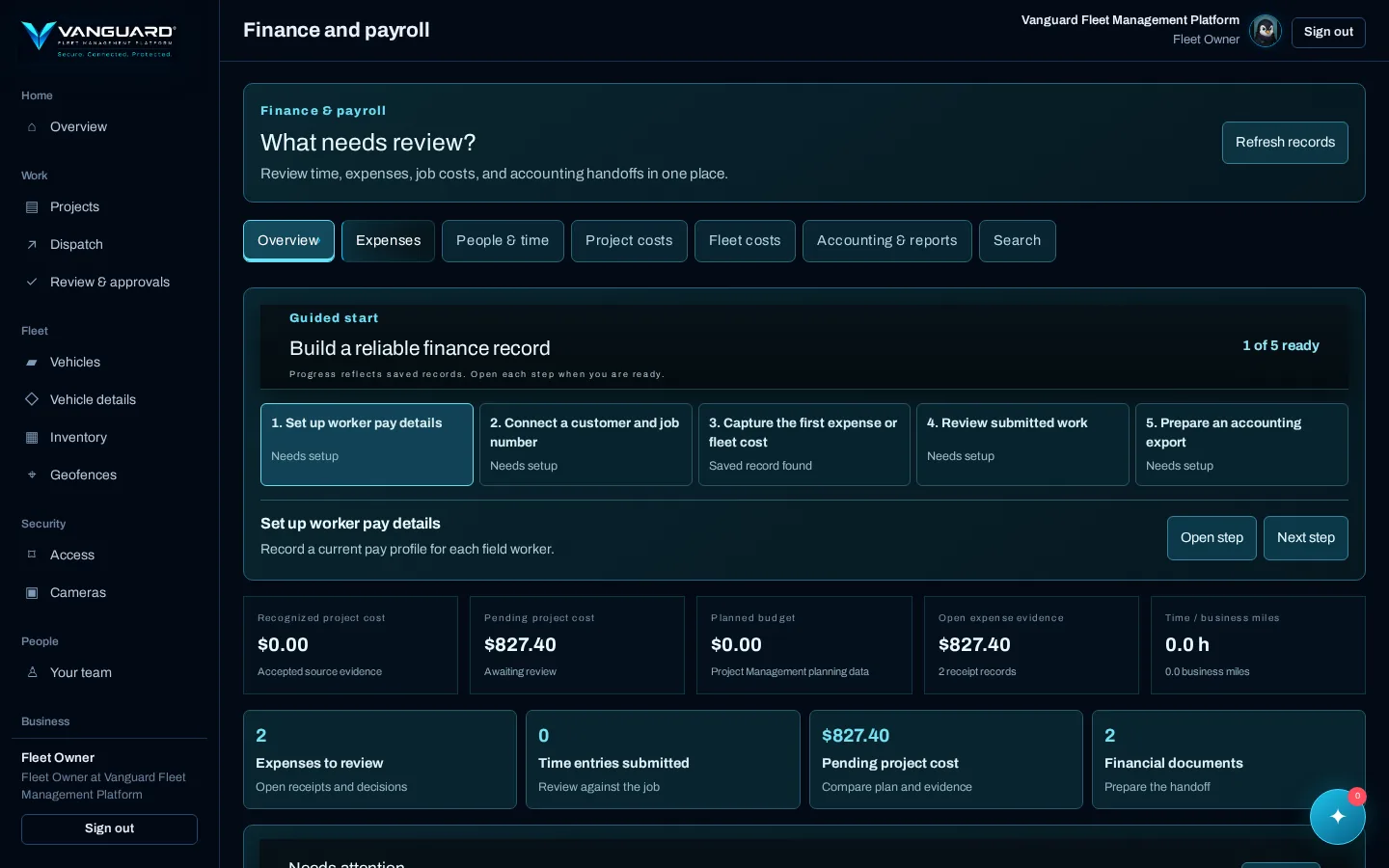
Everything behind the job, in one workspace
One account for the office and the field. Each person signs in with a verified identity and sees only what their role allows.
- Know where your equipment is, and who can reach it
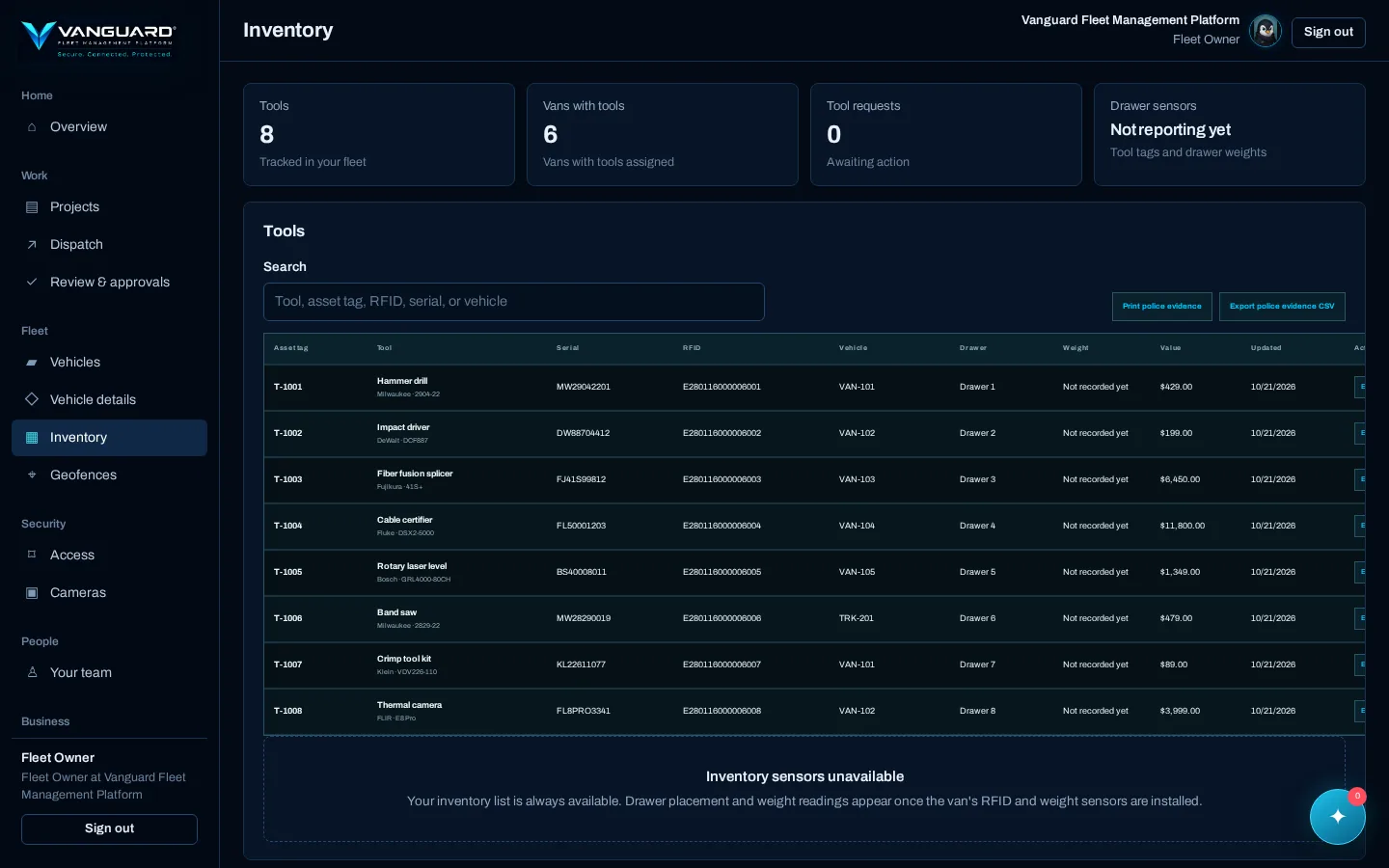
Your vans carry the tools your crew earns a living with. Vanguard ties each tagged tool to its drawer and vehicle, so you know where it belongs and get an alert when it leaves the van unexpectedly.
Each van has up to eight locking drawers. Workers get access through their assignments, and you can require the right vehicle, the right project and being at the job site before a drawer opens.
- Run the work from dispatch to closeout
Create projects with job locations and schedules, then dispatch technicians and vans. Each technician gets the job in the app and by text with driving directions, along with the instructions and documents they need.
Time, mileage, expenses and job costs stay attached to the job they belong to, ready to export for payroll and accounting.
- Approve work with the full picture
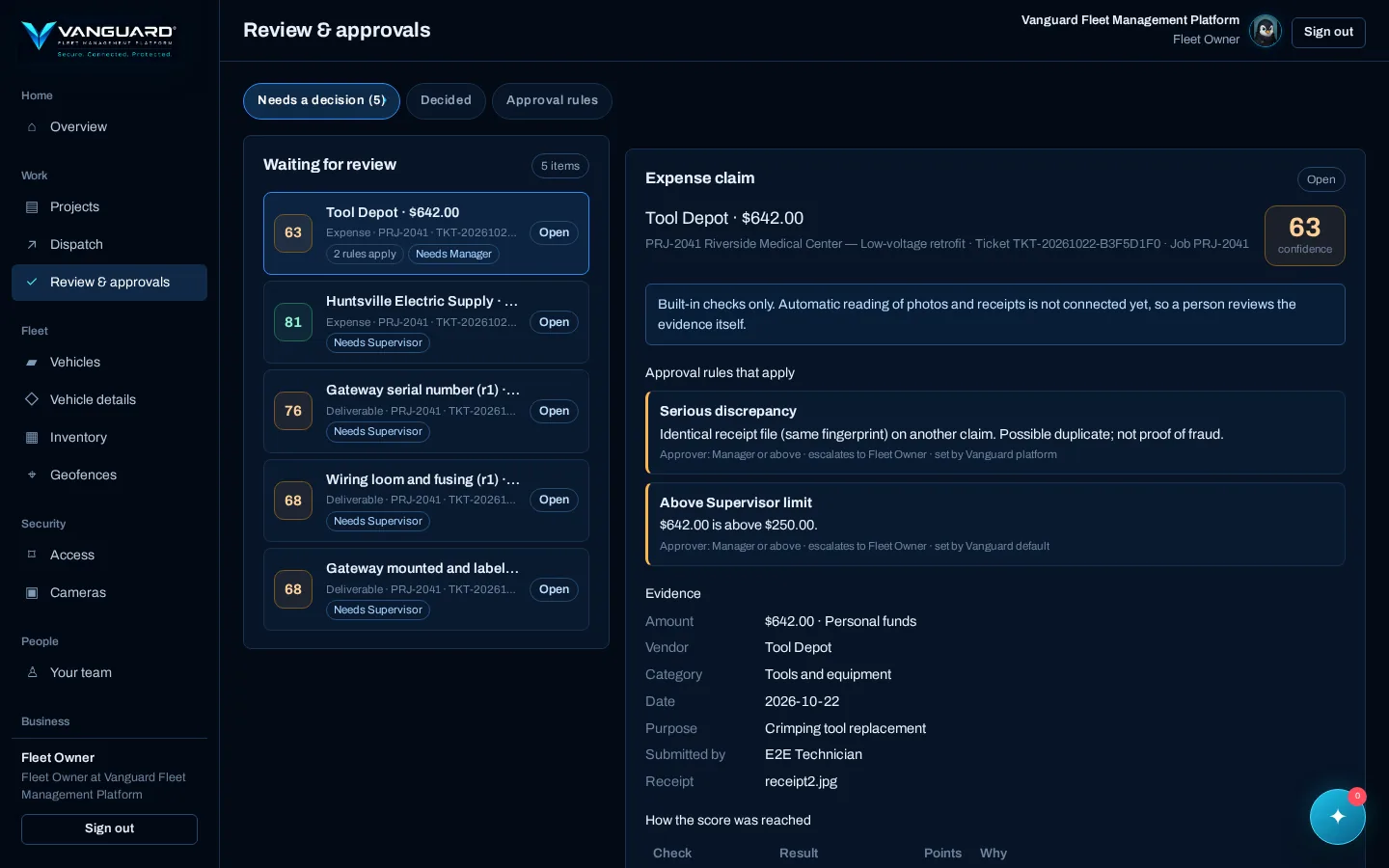
Photos, serial numbers, test results and receipts come back against the job that requested them. Vanguard checks each one and gives it a confidence score that explains every deduction, and flags problems such as a receipt already submitted on another claim. A flag is a reason to look closer, not an accusation.
You set the approval rules: spending limits, job types that need a manager, how sure the evidence must be. Supervisors and managers can tighten them for their own work but never loosen yours. A person always makes the call, nobody approves their own work, and every decision is kept with its reason.
- Give each person the access their job requires
Owners, managers, supervisors, technicians and payroll staff each have a role. Roles and assignments decide which records and actions each person can reach.
The same rule applies to us. A Vanguard service technician needs a signed, time-limited authorization for one vehicle, one gateway and one work order before they can work on your equipment.
- See what needs your attention
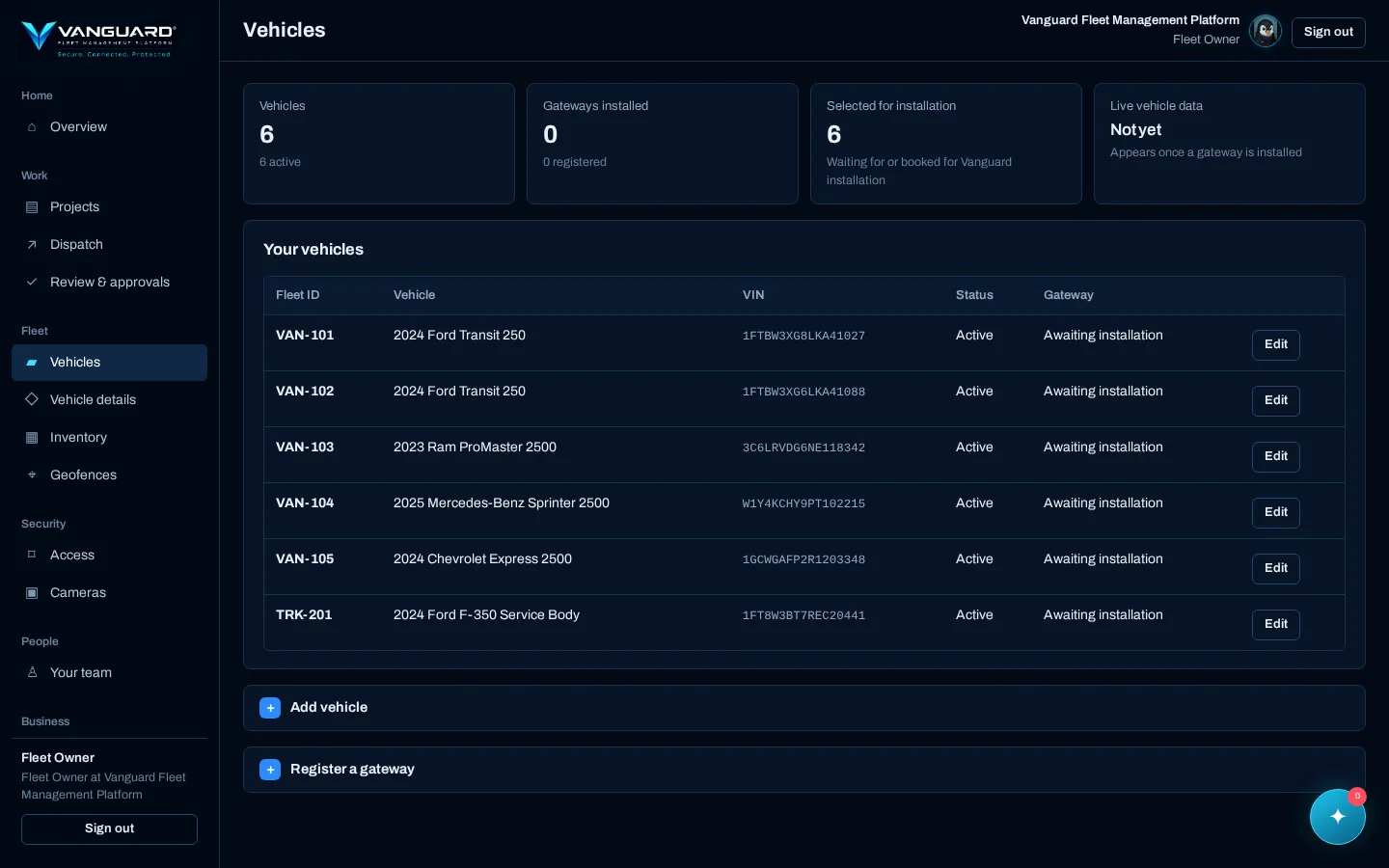
Check vehicle locations, gateway connections, health readings and security events from one screen. If a van's own GPS drops out during a job, the technician's phone can stand in, clearly marked as approximate and only while they're on the clock. Watch the cabin and cargo cameras you're authorized to view, and get an alert when a van leaves a project boundary.
Every action is recorded against the person who took it, and every hardware event against the van it came from, so when something happens you can find out who and where.
Built for the field and the office
The same records flow from the van to the back office, so the crew isn't re-telling the office what happened and the office isn't re-keying it for accounting.
Everything the crew needs on site
Built for technicians on a phone in a work van: fast to open, clear about what to do next, and honest about what the van is reporting.
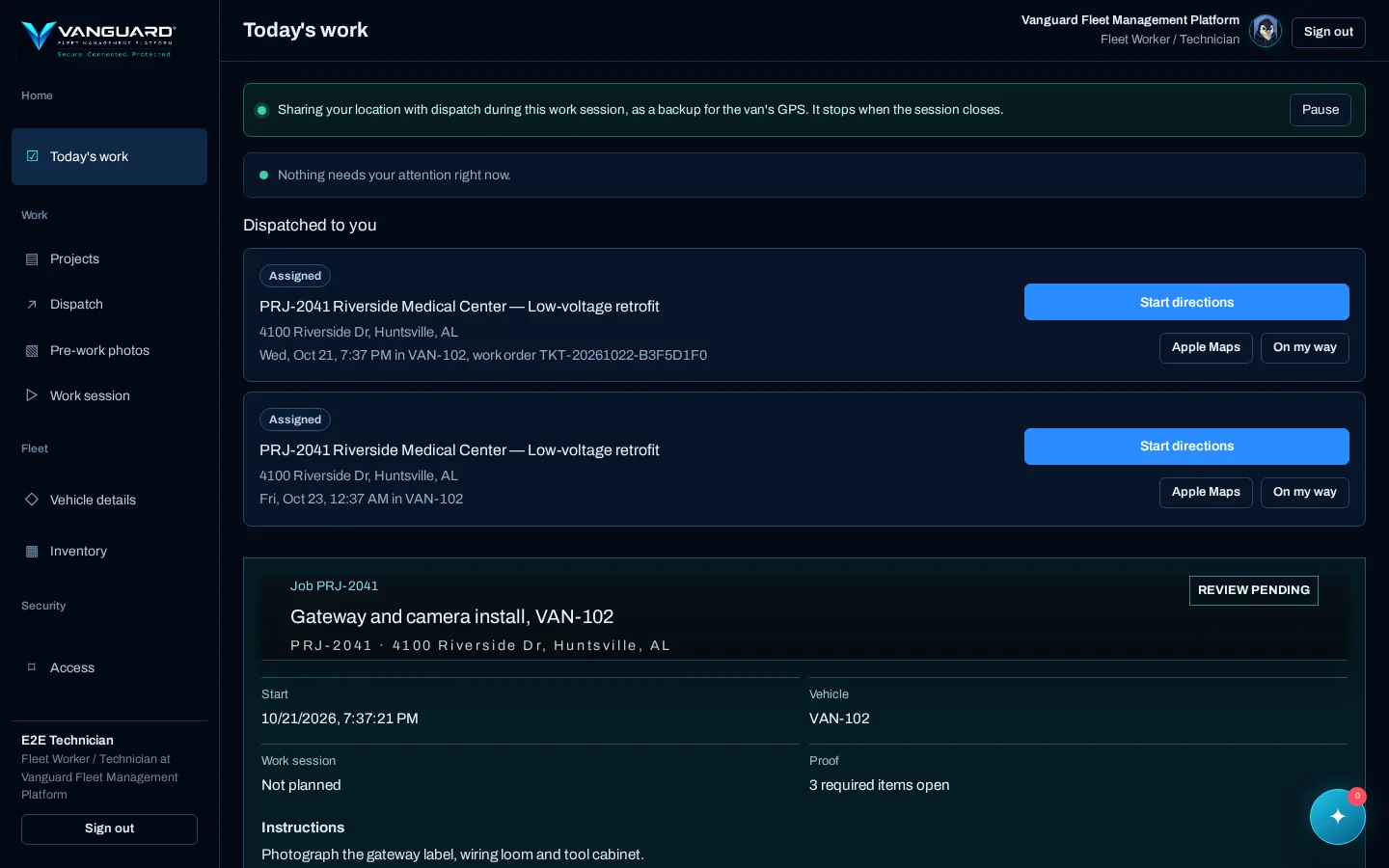
Today's work in one tap
Each technician opens the app to their jobs for the day, in order, with the site address, instructions and documents attached.
- One-tap driving directions
- On the way and on site status
- Several jobs in one work session, handed off job to job
Dispatch that reaches the van
Send the right person in the right van to the right job window. The job arrives in the app and by text with directions to the site.
- Live van positions on the map
- Resend directions when plans change
- Notes and next-job instructions at closeout
Drawers that open for the job
Tool drawers unlock for the assigned technician during their work session, and you can require the right van, project and distance from the site.
- Remote drawer unlock on request
- Cabin and cargo lock controls
- Suspend a worker's drawer access after an unexpected removal
Tools accounted for, job by job
Tagged tools are checked against each van before and after the work, so a missing tool shows up while the crew is still on site.
- Tool requests between vans with approval
- Change-of-custody log for every move
- Evidence export if a tool is stolen
Drawings and field notes
Open plans and prints on site, drop numbered pins on the drawing, and attach notes and photos that the office sees right away.
- Page-by-page drawing viewer
- Pins searchable by ID and note
- Share a pin with a teammate in a message
Proof of work from the site
Pre-work photos from all four corners, checklists and deliverables are captured against the job that asked for them before it can close.
- Closeout gates you control
- Deliverables reviewed before the job closes
- Weather forecast for each job site
Job site boundaries
Draw a boundary around each site. If a van leaves it during a job, you get an alert, and approved trips between sites are recognized as such.
- Alerts managers acknowledge
- Approved routes between job sites
- Incident history per van and per worker
Eyes on the van
View the cabin and cargo cameras you are authorized to see, with recordings kept to your retention rules and every view logged.
- Pan and tilt control where installed
- Cloud archive search by van and time
- Viewing rights delegated by the owner
Everything the office needs to run the business
Plan the work, control the cost, approve with evidence and close the books, from the same records your crew creates in the field.
Projects run like projects
Charter and scope, work breakdown, schedule with dependencies and critical path, and baselines you can compare against as the job moves.
- Agile, waterfall or hybrid delivery
- Stage gates with recorded decisions
- Schedule export to CSV
Cost and earned value
Budget, commitments and forecast for each project, with earned value so you can see cost and schedule performance before the job is over.
- Labor plans against actual hours
- Procurement and long-lead tracking
- Variance by cost line
Registers that keep the paper trail
RFIs, issues and change requests, quality inspections, stakeholders and controlled documents, each tied back to the project and the people involved.
- Requirements traced to tasks and acceptance
- Document numbers and revisions
- Closeout with lessons learned
Approvals with the evidence attached
Deliverables, receipts and time come to one review queue with the supporting evidence and a confidence score that explains itself.
- Possible duplicate receipts flagged
- Your spending and approval limits
- Nobody approves their own work
Time, mileage and expenses
Time is logged against the job, mileage can come straight from the van's odometer, and receipts are filed with the claim they belong to.
- Time entries reviewed before payroll
- Company card and advance reconciliation
- Incidentals and damage reimbursements per project
Fleet costs in one place
Purchase details, maintenance and repair receipts, and use for every van, so you know what each one really costs to run.
- Maintenance log with next service due
- Purchase and in-service records
- Total cost of ownership reports
Ready for your accountant
Build the report you need from your own records and hand a clean export to accounting instead of re-keying it.
- QuickBooks export bridge
- Directed report builder
- Financial documents filed by type
People, roles and records
Owners, managers, supervisors, technicians and payroll staff each see what their role needs. New people verify their identity before they get a login.
- ID check through our verification partner
- Mobile number verified for codes and dispatch texts
- Every action recorded against who took it

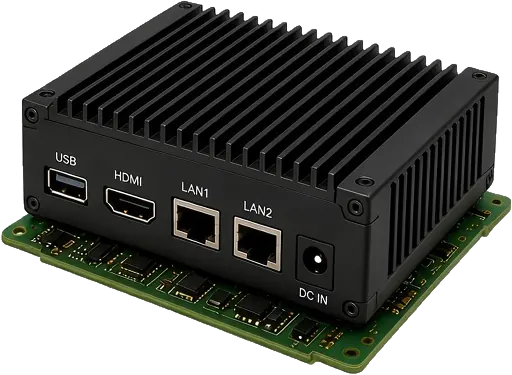
Meet Argus
Argus is our guardian, and the onboard gateway that carries his name rides in each van. It connects your installed equipment to Vanguard and enforces your rules at the van itself.
- One connection for the whole van. Location, available vehicle health data, drawer locks and sensors, tool readers and cameras all report through Argus.
- Rules enforced on the spot. Argus checks your access rules at the van, so a drawer opens only for the people, jobs and places you allow.
- A record of what happened. Drawer activity, tool movements and security events at the van show up in your workspace.
- Built to keep working offline. If the van loses signal, Argus is designed to keep enforcing the rules it already has and send what it recorded, in order, when it reconnects.
- No master key. Not even for us. Vanguard technicians need a signed, time-limited authorization for one vehicle and one job.
Our mission
A missing tool can stall a job. An unavailable van can idle a whole crew. Vanguard brings fleet visibility, equipment accountability and job coordination together, so you can protect what your business depends on and keep your people working.
Secure. Connected. Protected.
How to get started
Vanguard is professionally installed: we fit and test the Argus gateway and the equipment in your order. Your workspace opens as soon as payment is confirmed.
Create your account
Tell us about your company and yourself, and list the vehicles you want equipped.
Verify your identity
A short ID check with our verification partner protects your account from impersonation.
Pay at secure checkout
You pay on our payment provider's secure page. Vanguard never sees your card number.
Sign in and set up
Once payment is confirmed, add your team and projects, book installation dates and track your order.
Get your vans installed
A Vanguard technician fits and tests the gateway and your equipment, then connects each van to your workspace.
Ready to equip your fleet?
Already a customer?